
Pandora Music for TV
PandoraMusic & Audio
3.6263.00 Reviews
- Version
- 4.3.1
- Installs
- 10.00M
- Age Rating
- Teen
Screenshots
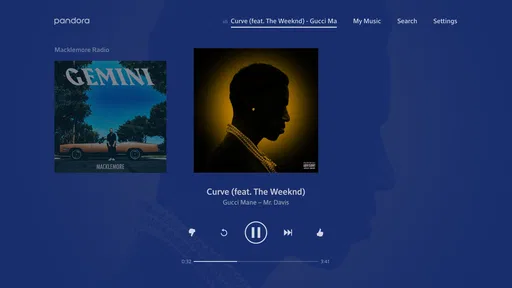
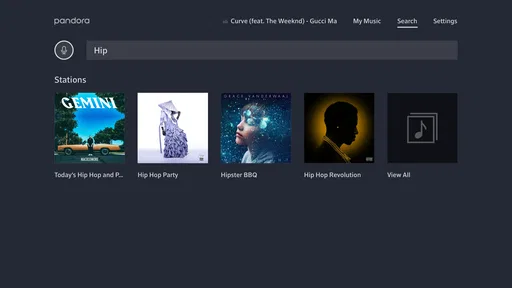
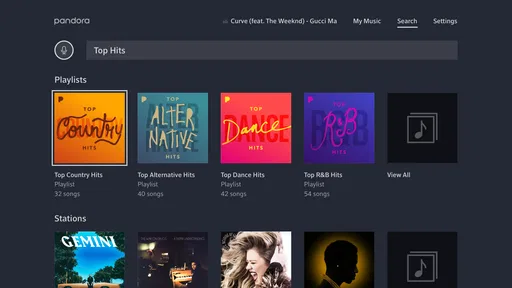
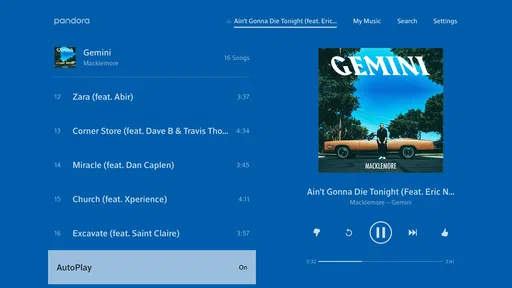
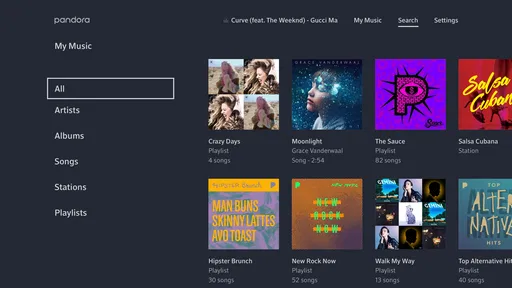
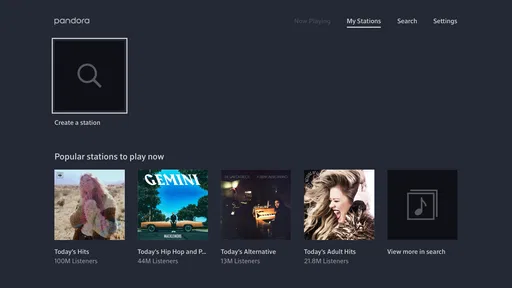
Our Review of Pandora Music for TV
 Analysis by Appyee
I found Pandora Music for TV most useful when I wanted music to become part of the room rather than another thing I had to manage. It is a free music and audio app from Pandora that brings familiar listening to a television, with a simple focus on playing music connected to artists and songs I already enjoy. That sounds modest, but it changes the experience: choosing something for dinner, a quiet afternoon, or a small gathering feels more natural on a large screen than on a phone held in one hand.
My overall view is favorable, with an important qualification. This is best understood as a convenient TV listening companion, not a complete replacement for every music service. It suits people who like discovering music around artists and songs, and who value a relaxed listening flow. It is less convincing for anyone who wants precise album management, extensive control over every track, or a television app that feels as flexible as a full mobile music library.
How Pandora Music for TV feels in everyday use
The first thing I noticed is how strongly the television changes the role of the app. On a phone, music apps often compete with messages, notifications, and other tasks. On a TV, the purpose is clearer. I can start listening, put the remote down, and let the music carry the background while I cook or talk. The large display also makes the service easier to share with other people in the room, because nobody has to gather around a small screen to see what is playing.
The app’s store summary describes playing new music and streaming favorite songs or artists on a TV, and that is a fair description of its central appeal. Pandora Music for TV is not trying to turn the television into a complicated audio workstation. Its value comes from reducing the number of decisions between opening the app and hearing something suitable.
That approach works especially well when I know the mood or artist I want but do not have a carefully prepared playlist. I can use a familiar starting point and allow the listening session to develop from there. This is different from opening a conventional music library, searching for a specific album, arranging a queue, and then repeatedly returning to the screen to manage it.
There is also a social advantage. When friends visit, the television makes music feel like a shared choice instead of one person quietly controlling playback from a phone. I would still keep expectations realistic: the experience depends on the TV setup and the way the app is supported on that device, so the smoothness of navigation can vary more than it would on a single, standardized phone environment.
The strongest reason to use it is low-effort discovery
My favorite use case is the “play something like this” moment. I may remember one artist but not know what I want to hear next. Pandora’s artist-and-song-centered approach is well suited to that situation because it encourages a listening session rather than demanding that I curate every minute in advance.
This makes it a good fit for repetitive daily routines. While preparing breakfast, I can choose a familiar starting point and let the app provide continuity. During housework, I do not need to stop every few minutes to select another track. For a relaxed evening, it gives the room a musical atmosphere without making the television feel like a spreadsheet of albums and playlists.
A useful habit is to treat the first selection as a signal rather than a final decision. If the opening choice is close to the mood but not quite right, I would change the starting artist or song instead of fighting the entire session. That small workflow is more effective than expecting one search to produce a perfect, tightly controlled sequence.
Another practical tip is to decide before starting whether I want discovery or certainty. If I want familiar background music, I begin with an artist or song I already trust. If I want to find something new, I choose a starting point that represents a style or mood rather than a single favorite. This prevents the common disappointment of expecting a discovery-oriented service to behave like a manually assembled playlist.
The TV format makes shared listening easier
On a television, the interface has a different job from a phone interface. It needs to be readable from a distance and simple enough for someone else to understand quickly. I found that this format is most valuable when several people are listening together and nobody wants to hand a phone around to explain what is playing.
That matters in ordinary situations. Imagine finishing dinner with friends and wanting music that continues without becoming the center of attention. One person can start a familiar artist, and the room gets a steady soundtrack while conversation remains the priority. In that setting, the app’s simplicity is a strength. A more feature-heavy service might offer deeper control, but it could also encourage people to spend too much time choosing instead of enjoying the gathering.
The same applies to family spaces. A television is visible to everyone, so the current listening choice is less private and more communal. That can make the app approachable for people who are not enthusiastic about managing digital music libraries. The Teen content rating is also a useful signal for households deciding whether the app’s general positioning is appropriate for their viewing environment, although parents should still make their own judgment about what gets played.
Where it differs from a traditional music library
Compared with a service built around albums, playlists, and exact track selection, Pandora Music for TV feels more guided. That is its identity, and I would not treat the difference as automatically negative. Guided listening is often better when I am driving a routine, hosting people, or working with my hands.
The trade-off becomes obvious when I want a very specific sequence. If I have a personal playlist arranged for a long trip, a carefully ordered album, or a set of songs for a particular exercise session, a conventional on-demand music app may be more satisfying. Those services tend to make deliberate organization the main event. Pandora’s strength is the opposite: it helps me get moving without requiring a complete plan.
Streaming through a TV also changes how I think about control. I would not choose this app primarily for a private headphone session where I want to inspect every detail of my collection. I would choose it for the living room, a shared screen, and moments when the music should remain in the background. That distinction is important because the same person may reasonably prefer Pandora in one context and another service in another.
Small workflow choices that improve the experience
I get better results when I start with a precise musical anchor. “Something relaxing” is a useful intention, but an artist or song gives the session a clearer direction. Once playback begins, I try to judge the overall flow instead of reacting to every individual track. Discovery services are more enjoyable when I allow a little variation rather than expecting a perfect sequence from the first minute.
For a shared room, I would also prepare the starting point before guests arrive. Searching while people are waiting makes any TV app feel slower and more awkward. Having one or two dependable artists in mind keeps the transition quick, and then the listening can evolve naturally. This is a simple but non-obvious advantage of using the television: preparation matters more because the selection is visible to everyone.
When the TV is used for both music and video, I would keep the app’s purpose clear in my head. It is easy to assume that a TV music app should offer every organizational feature found on a phone. Instead, I see this version as a focused room-based experience. That expectation makes its limited emphasis on library management feel less frustrating.
The meaningful limitations I noticed
The biggest weakness is the loss of precision compared with a full music library. I sometimes want to decide exactly what comes next, skip beyond a particular style, or build a sequence that follows a deliberate arc. A guided listening model can feel restrictive in those moments. The app is more comfortable when I accept its recommendations than when I try to force it into the role of a manually controlled jukebox.
Television navigation can add another layer of friction. Remote controls are slower than touchscreens for typing, browsing, and making small corrections. Even a well-designed TV interface cannot remove that basic limitation. If I am searching for an obscure artist or making frequent changes, I may prefer using a phone-based service or another setup that makes text entry and list management quicker.
There is also a practical question about value. The app itself is free, but in-app purchases are listed at $4.99 per item. That means I would pay attention to which functions or upgrades are offered before spending anything. For casual background listening, I would begin with the free experience and decide whether the way I use the app genuinely justifies an additional purchase. Someone who dislikes recurring decisions around paid extras may find the free-versus-paid boundary worth considering early.
The average rating is 3.3 from around 876 ratings, with roughly 252 written reviews. I read that as a mixed public reaction rather than a reason to dismiss the app. TV applications often receive criticism for device-specific behavior, navigation, or expectations that differ from the mobile version. My own recommendation would be to judge it by the TV listening scenario it is designed to serve, not by expecting it to behave like every other Pandora experience.
Compatibility and what to check before installing
The listed minimum operating system is Android 7.0, so owners of older Android hardware should check compatibility before planning around it. The app was released on October 27, 2014, and its current version is 4.3.1. Those details suggest a product with a long presence in the app ecosystem, but they also make it sensible to confirm that the particular TV or Android device is supported and behaves well with its remote.
Pandora is the developer, and the app has passed the ten-million-install mark. That level of adoption makes it easier to understand why someone might want to try it for a shared television, but popularity alone does not guarantee that it will be the best match for a specific room. I would install it when the goal is straightforward streaming and discovery, then test the navigation from the actual sofa rather than judging only from a phone.
The price is free, which lowers the barrier to trying it. I appreciate that because the central question is experiential: do I enjoy letting Pandora shape the session on my TV, or do I keep wishing for more direct control? A short period of real use in the room answers that better than comparing feature lists.
Who should choose it, and who should skip it
I would recommend Pandora Music for TV to someone who wants easy music in a shared space, likes discovering tracks around familiar artists, and does not want to curate a playlist every time. It is particularly suitable for background listening during meals, chores, casual visits, and relaxed evenings. It also makes sense for households where the television is already the main shared screen and music should be visible and accessible to everyone.
I would be more cautious if your priority is exact control. People who organize large personal libraries, listen to complete albums in a fixed order, or need highly specific queues will likely be happier with an on-demand service designed around manual selection. The same is true for listeners who mainly use headphones and want the fastest possible search and collection management on a phone.
I would also skip it as a first choice if the TV is rarely used for music. In that case, a phone, smart speaker, or existing audio setup may require less effort. Pandora’s real advantage appears when the television is already part of the room’s social routine. Without that context, its TV focus becomes less meaningful.
My final take after using it as a room-based music app
Pandora Music for TV succeeds when convenience and discovery matter more than complete control. I like it as a way to start a musical atmosphere quickly, especially when other people are present or when I am busy with something else. Its artist-and-song-centered approach gives me a useful middle ground between choosing every track and accepting completely random background audio.
It is not the app I would choose for meticulous playlist construction, exact album listening, or intensive library management. The TV format and remote navigation make those tasks less appealing, and the free app’s in-app purchase structure is something I would evaluate before paying for extras. Those limitations are real, but they do not undermine its main purpose.
For the right household, the free download is worth trying: start with a dependable artist, use it during a normal evening, and see whether the recommendations keep the room sounding good without constant intervention. If that is what you want, Pandora Music for TV is an easy recommendation. If you want the television to function as a fully controlled music catalog, I would look toward a more library-focused alternative instead.
Privacy and Permissions
See what permissions an app requests and how it handles your data.
- Microphone
- record audio
- Wi-Fi connection information
- view Wi-Fi connections
- Other
- view network connections, change network connectivity, connect and disconnect from Wi-Fi, full network access, run at startup, prevent device from sleeping
Verdict
Strengths of Pandora Music for TV
- Large music catalog with personalized stations and playlists.
- Simple interface designed for remote-control navigation.
- Supports hands-free listening through compatible TV devices.
- Personalized recommendations improve with continued listening.
- Useful background music option for parties and casual viewing.
Limitations of Pandora Music for TV
- Some features require a paid Pandora subscription.
- Advertisements can interrupt listening on the free plan.
- Availability varies by TV platform and region.
- Limited control compared with the mobile Pandora app.
- Audio quality and playback options may depend on the subscription tier.
Other Releases by Pandora
View All
Pandora - Music & Podcasts
Music & Audio3.9
Similar Picks in This Category
View All
YouTube Music
Google LLC4.4

Samsung Music
Samsung Electronics Co., Ltd.3.8

Spotify: Music and Podcasts
Spotify AB4.3

JioSaavn - Music & Podcasts
Saavn Media Limited4.3

Lark Player:Music Player & MP3
Lark Player Studio - Music, MP3 & Video Player4.6

StarMaker: Sing Karaoke Songs
SKYWORK AI PTE. LTD.4.3
Frequently Asked Questions
What is Pandora Music for TV, and what can I do with it?
Pandora Music for TV is a television-focused version of the Pandora streaming service that lets you listen to personalized radio stations, recommended music, podcasts, and other audio content on a compatible smart TV or streaming device. After signing in, you can start stations based on artists, songs, or genres, use playback controls, and enjoy music through your television speakers or a connected sound system.
Is Pandora Music for TV free to use, or do I need a subscription?
Pandora generally offers an ad-supported listening option, so you may be able to use the TV app without paying for a subscription. However, the free experience can include advertising, listening limitations, and fewer control options. Pandora Plus and Pandora Premium plans may provide fewer interruptions, more skips, offline listening on supported devices, and additional on-demand features, depending on your plan and region.
Which TVs and streaming devices support Pandora Music for TV?
Availability depends on your television model, operating system, country, and the streaming platform connected to your TV. Pandora may be offered through selected smart TV app stores and devices such as compatible streaming players or game consoles. Before downloading, search for Pandora directly in your device’s official app store and check whether your model meets the current compatibility requirements.
Do I need a Pandora account to use the TV application?
A Pandora account is normally required to access your personalized stations, saved music, subscription benefits, and listening history on a TV. You can usually sign in by entering your account details or by using an activation code displayed on the screen through a web browser. Using the same account across devices helps synchronize your preferences and subscription status.
Can I control Pandora Music for TV from my phone, and does it work offline?
On supported setups, you may be able to use your phone as a companion controller or cast Pandora playback to a compatible television or streaming device. The exact controls depend on the device and connection method. Offline listening is generally associated with eligible paid plans and supported mobile applications, while the TV version normally requires an active internet connection for streaming.
